WebmailSitemapContact
DSL Business Services d Dialup Company Information User Services Support
Windows Mail (Vista)

Mail Server names:

mail.netplex.net
This is true for both incoming (POP3 or IMAP) and outgoing (SMTP).

Your Connectivity

If your connectivity to the internet is provided by someone other than NETPLEX Internet, you may have to use their outgoing mail servers.

NOTE: In Windows Vista, Windows Mail replaces Outlook Express as the standard Windows email client.

Setup

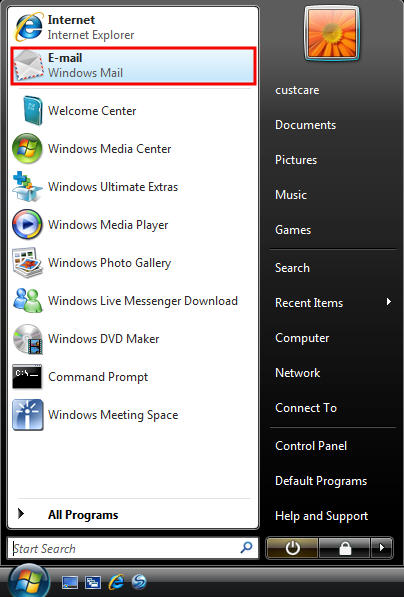
1. From the Start menu, click the E-mail Windows Mail icon. -
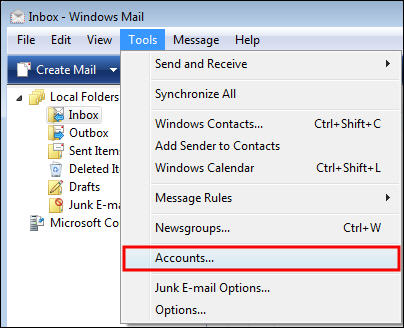
2. Click Tools, then select Accounts.
2
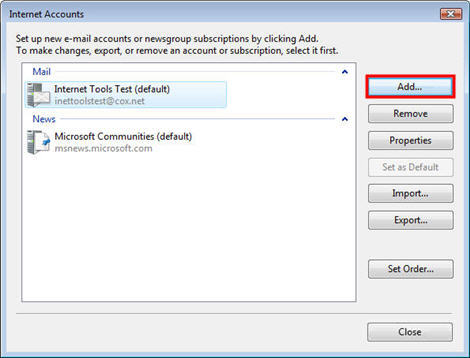
3. In the Internet Accounts window, click Add4
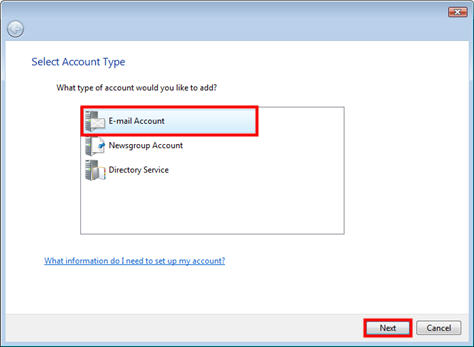
4. Select E-mail Account, then click Next.6
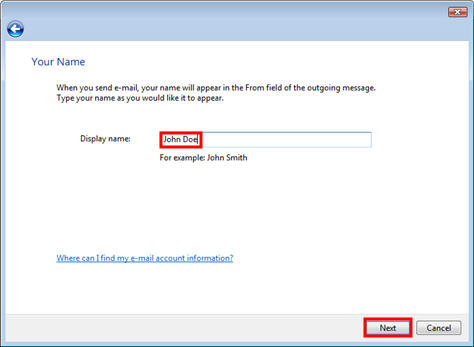
5. Enter your name for Display name, then click Next-
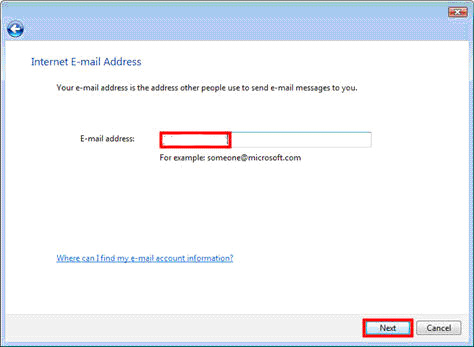
6. Enter your E-mail address (ie johndoe@netplex.net), then click Next. `
7.
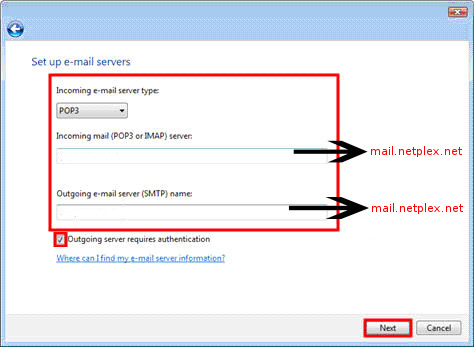
  • Select POP3 from the drop down menu.
  • Enter the Incoming and Outgoing mail server hostnames (mail.netplex.net).
  • Click Outgoing server requires authentication
  • Click Next
    -
8.
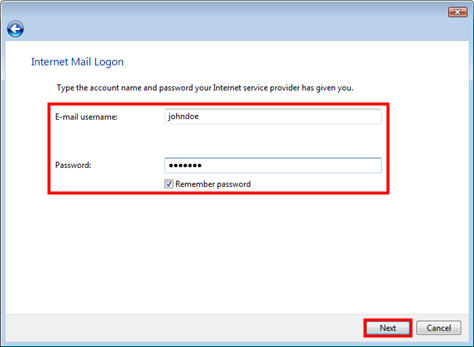
  • Enter your E-mail username (NOT your whole email address).
  • Enter your Password.
  • Select or deselect the Remember password box, depending on your preference.
  • Click Next
    -
9.

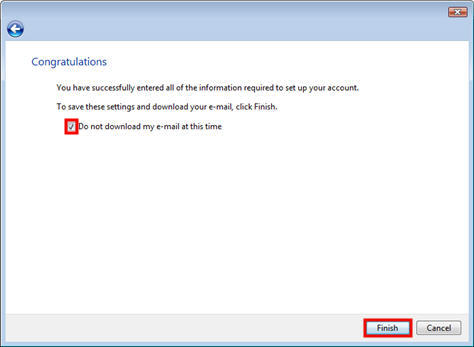
Click Do not download my e-mail at this time, then click Finish. -

All steps complete

top

use policy | terms of service | privacy policy
© 2011 NETPLEX LLC. All rights reserved.
Member of CT ISP Association


DIAL-UP Technical Support

Configuring E-mail Settings for Windows

Configure E-Mail
Settings for Mac


We Want to Hear from You